Auto-sizing images in Kitty (if it fits it sits?)
I’ve been playing with terminal emulators again for a while. More to write up at some point, but here a quick note on some customisations for displaying images in the terminal….
There are a couple of terminal emulators which allow for display of arbitrary images in the terminal (I mean, jpegs and pngs and the like, not (just) sixel), notably Kitty and WezTerm.
WezTerm with iTerm2 compatible image protocol support, and built-in
imgcat command, alongside of (experimental but seemingly working)
support for Kitty’s image display protocol (enable this in WezTerm by
adding to your wezterm.lua config the line
enable_kitty_graphics=true).
I mainly use Fish shell, and here I record a couple of notes on convenience customisations in Fish for working with in-terminal image display in Kitty and WezTerm. But, I have a POSIX-compatible (including Bash) version (less well tested) included below as well.
WezTerm’s command to display an image in the terminal is wezterm imgcat </path/to/image/file>, and Kitty’s is kitten icat </path/to/image/file>.
I’m playing with both terminals, and have a hard time remembering
things, so one thing I’ve done is to alias these commands in fish to
just icat.
More significantly, while WezTerm seems to have a smart auto-sizing of the image to downsize the rendering to make sure the image fits fully within the current terminal window, Kitty only seems to guarantee downsized display to make sure the image fits the current width of the terminal window, but does not downsize to fit the current height of the terminal window.
Thus, in Kitty, we get things like this:
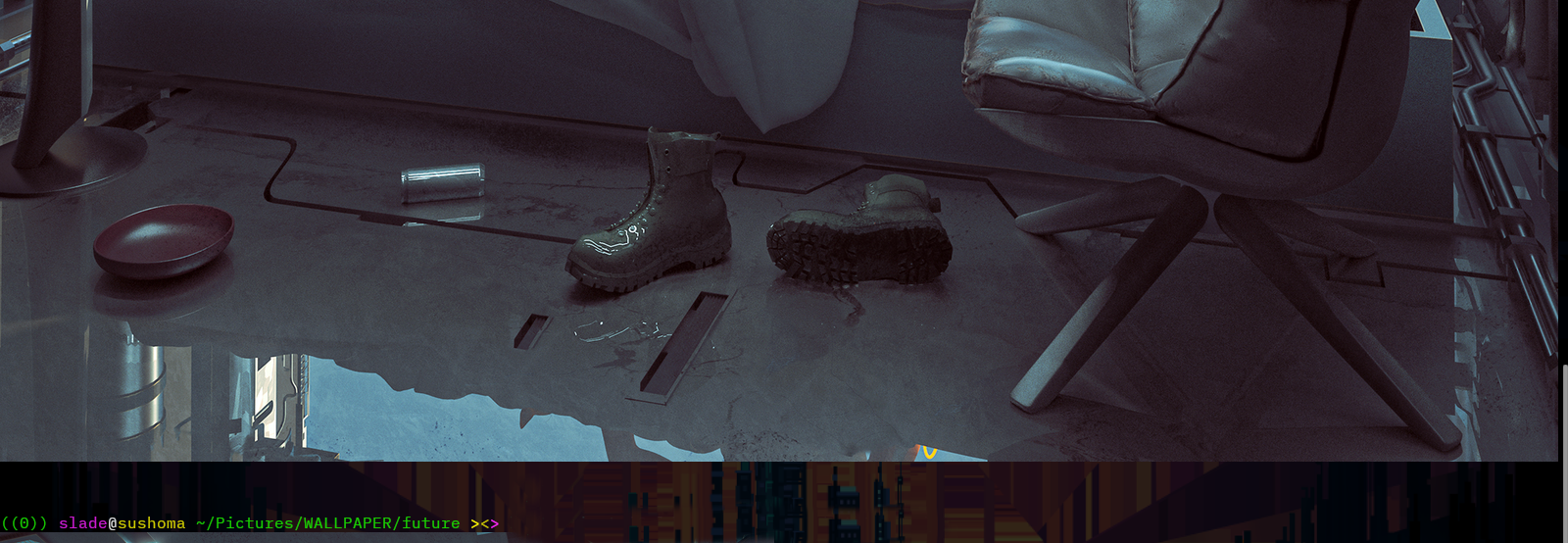
(….hmm, boots aren’t a kitty…)
While in WezTerm, we get:
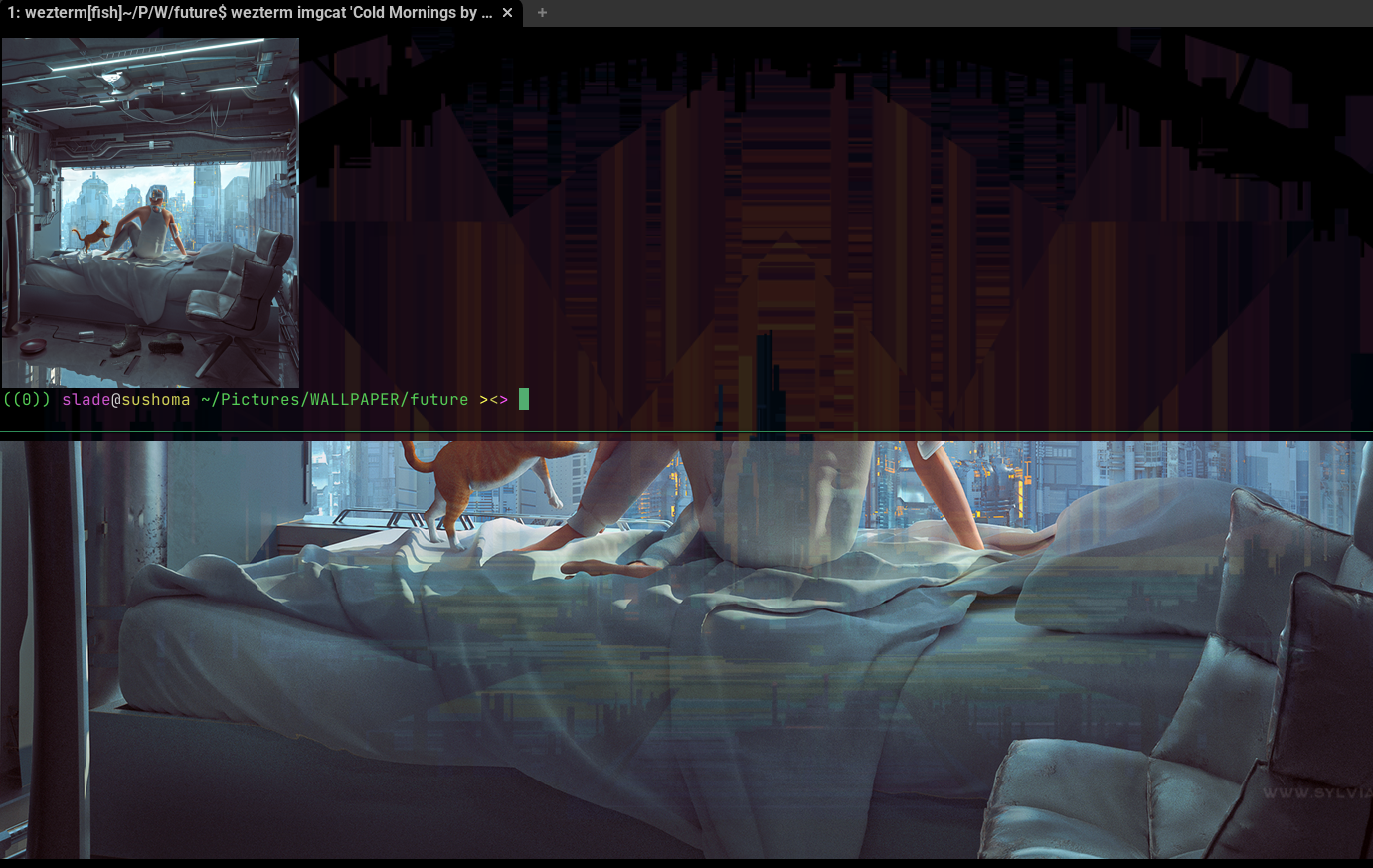
And with appropriate configuration from below added, the new
(easy-to-remember) icat command works to produce in-terminal image
display as in WezTerm:
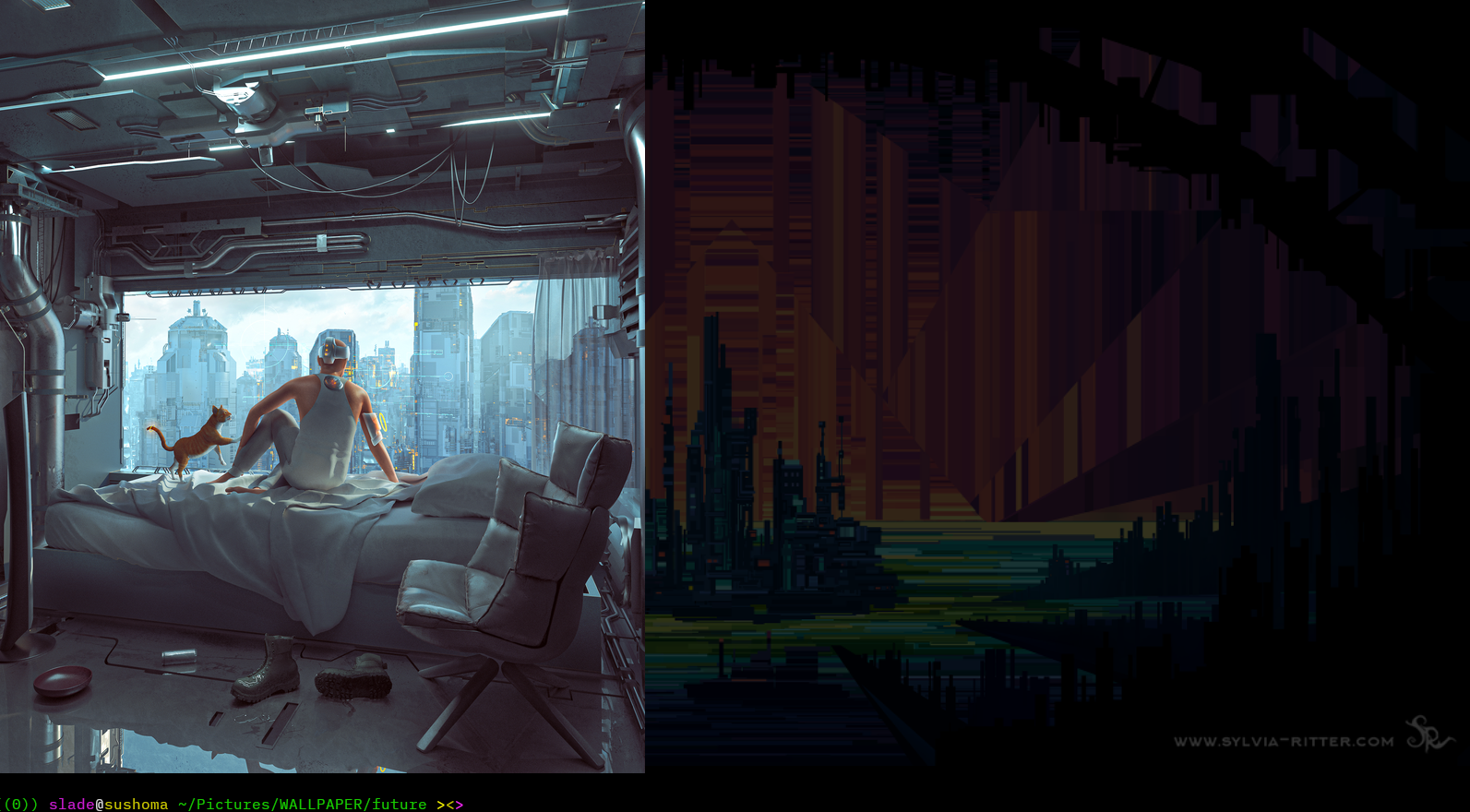
(…and there’s the kitty in Kitty!)
Here are the relevant lines that can be added to your shell
configuration file to both make the image display command in both
Kitty and WezTerm both simply icat, and also resize the display of the
image in Kitty to make sure it fits lengthwise in the current terminal
window:
Fish shell #
#################### BEGIN image display things ######################

# image display things for kitty [https://sw.kovidgoyal.net/kitty/]
#                        & wezterm [https://wezfurlong.org/wezterm/]
#
# - use 'icat $path/to/image' (in either) to display image in terminal
# - on inner workings of the image display protocols, see:
#   - for kitty:    https://sw.kovidgoyal.net/kitty/kittens/icat/
#   - for wezterm:  https://wezterm.org/cli/imgcat.html

# if we're in kitty:
if [ "$TERM" = "xterm-kitty" ]
  alias icat-full "kitten icat" # alias the default kitty icat behaviour to `icat-full'

  # function icat-auto
  function icat  # define auto-resizing version of kitty's `icat'
    # calculate kitty window size parameters:
    set -l kittysize (kitten icat --print-window-size) # get kitty window size
    set -l kittywidth (echo $kittysize | cut -dx -f1) # extract width of kitty window
    set -l kittyheight (echo $kittysize | cut -dx -f2) # extract height of kitty window
    set -l argcount (count $argv)    # count how argumnets to icat there are

    # calculate target image size parameters: [requires ImageMagick!]
    set -l imagesize (identify -format '%wx%h' "$argv[$argcount]")  # `identify' is part of ImageMagick
    set -l imagewidth (echo $imagesize | cut -dx -f1) # extract width of image
    set -l imageheight (echo $imagesize | cut -dx -f2) # extract height of image
    set -l reducebyy 1.0  # initialise and set to '100%' [no change] y-axis reduction percentage
    set -l reducebyx 1.0  # initialise and set to '100%' [no change] x-axis reduction percentage

    # test if target image is bigger than kitty window
    if [ $imageheight -gt $kittyheight ] # if it's taller than the terminal window
                                         # divide terminal window height by image height
      set reducebyy (math $kittyheight / $imageheight)
    end
    if [ $imagewidth -gt $kittywidth ]  # if it's widre than the terminal window
                                         # divide terminal window width by image width
      set reducebyx (math $kittywidth / $imagewidth)
    end
    if [ $reducebyy -lt $reducebyx ]  # set both reducebyx, reducebyy to smallest of 2 values
      set reducebyx $reducebyy
    else
      set reducebyy $reducebyx
    end
    # calculate target image height and width to fit fully in terminal window
    set imageheight (math floor (math $reducebyy x $imageheight))
    set imagewidth (math floor (math $reducebyx x $imagewidth))

    # call the `kitten icat' kitty command using the calculated image size
    if [ "$argcount" -gt 1 ] # if the user has passed more args than just the target image filepath
                             # then pass all of those separately along with `--use-window-size' parameter
      command kitten icat --use-window-size $COLUMNS,$LINES,"$imagewidth","$imageheight" $argv[1..(math (count $argv) - 1)] $argv[(count $argv)]
    else
      command kitten icat --use-window-size $COLUMNS,$LINES,"$imagewidth","$imageheight" $argv[1]
    end
  end

  # if we're in WezTerm, alias `icat' to wezterm's imgcat
  else if [ "$TERM_PROGRAM" = "WezTerm" ]
    alias icat "wezterm imgcat"
    # NOTE: currently not sure best way of emulating kitty's default image display behaviour
    #      - mainly because I don't know how to get the WezTerm window size in a
    #        fashion that's window-manager neutral and neutral between
    #        graphical display protocol (i.e., X11 vs Wayland)

    # draft version of default kitty icat-like behaviour for `imgcat'
    # function icat-full
    #   set -l imagesize (identify -format '%w' "$argv[$argcount]")
    # end
  # alias icat-full "wezterm imgcat --width 100%"
end

#################### END image display things ######################
POSIX shell (including Bash) #
#################### BEGIN image display things ######################

# image display things for kitty [https://sw.kovidgoyal.net/kitty/]
#                        & wezterm [https://wezfurlong.org/wezterm/]
#
# - use 'icat $path/to/image' (in either) to display image in terminal
# - on inner workings of the image display protocols, see:
#   - for kitty:    https://sw.kovidgoyal.net/kitty/kittens/icat/
#   - for wezterm:  https://wezterm.org/cli/imgcat.html

# if we're in kitty:
if [ "$TERM" = "xterm-kitty" ]
then
    alias icat_full="kitten icat" # alias the default kitty icat behaviour to `icat-full'

    icat () { # define auto-resizing version of kitty's `icat'
        # calculate kitty window size parameters:
        kittysize="$(kitten icat --print-window-size)" # get kitty window size
        kittywidth="$(echo $kittysize | cut -dx -f1)" # extract width of kitty window
        kittyheight="$(echo $kittysize | cut -dx -f2)" # extract height of kitty window

        # calculate target image size parameters: [requires ImageMagick!]
        icat_last_arg_pos="\${$#}"
        icat_last_arg_content="$(eval echo \"$icat_last_arg_pos\")"
        identify_command="identify -format '%wx%h' \"$icat_last_arg_content\"" # `identify' is part of ImageMagick
        imagesize="$(eval $identify_command)"
        imagewidth="$(echo $imagesize | cut -dx -f1)" # extract width of image
        imageheight="$(echo $imagesize | cut -dx -f2)" # extract height of image
        reducebyy=100  # initialise and set to '100%' [no change] y-axis reduction percentage
        reducebyx=100  # initialise and set to '100%' [no change] x-axis reduction percentage

        # test if target image is bigger than kitty window
        if [ "$imageheight" -gt "$kittyheight" ] # if it's taller than the terminal window
        then
            # divide terminal window height by image height
            reducebyy=$(( ( kittyheight * 100 ) / imageheight ))
        fi
        if [ "$imagewidth" -gt "$kittywidth" ]  # if it's wider than the terminal window
        then
            # divide terminal window width by image width
            reducebyx=$(( ( kittywidth * 100 ) / imagewidth ))
        fi
        if [ "$reducebyy" -lt "$reducebyx" ]  # set both reducebyx, reducebyy to smallest of 2 values
        then
            reducebyx="$reducebyy"
        else
            reducebyy="$reducebyx"
        fi
        # calculate target image height and width to fit fully in terminal window
        imageheight=$(( ( reducebyy * imageheight ) / 100 ))
        imagewidth=$(( ( reducebyx * imagewidth )  / 100 ))
        kitten icat --use-window-size $COLUMNS,$LINES,$imagewidth,$imageheight "$@"
    }
    # if we're in WezTerm, alias `icat' to wezterm's imgcat
elif [ "$TERM_PROGRAM" = "WezTerm" ]
then
    alias icat="wezterm imgcat"
fi

#################### END image display things ######################
Note about built-in capacity #
I confirmed with the developer, Kovid Goyal, that currently Kitty
does not have an “autofit” option (other than it’s default autofit to
fit width), see GitHub issue #9201. But Kovid seems to have gone ahead
and added a built-it --fit option for Kitty, so a built-in way of
managing image display with respect to window size should be
available natively in an upcoming Kitty release.