<feed xmlns="http://www.w3.org/2005/Atom">
    <generator>Hugo -- gohugo.io</generator>
    <title>
                nix on
            
        
        The Neo-Babbage Files</title>
        <link href="https://babbagefiles.xyz/tags/nix/atom.xml" rel="self" type="application/atom+xml" /><link href="https://babbagefiles.xyz/tags/nix/"/>
    <updated>2025-12-29T11:00:32+00:00</updated>
    <author>
            <name>Benjamin Slade</name>
            
                <email>slade@lambda-y.net</email>
            </author>
    <id>https://babbagefiles.xyz/tags/nix/</id>
        
        <entry>
            <title type="html"><![CDATA[Guix, Nix: You are in a maze of twisty little $PATHs, some undefined]]></title>
            <link href="https://babbagefiles.xyz/guix-nix-maze-of-twisty-little-paths-undefined/"/>
            <id>https://babbagefiles.xyz/guix-nix-maze-of-twisty-little-paths-undefined/</id>
            
                    <author>
                        <name>Benjamin Slade</name>
                    </author>
            <published>2019-07-24T00:48:00-06:00</published>
            <updated>2019-07-24T16:58:13-06:00</updated>
            
            
            <content type="html"><![CDATA[<p>Some notes on interactive fiction/text adventure games and PATHs in
Guix, and StumpWM.</p>
<h2 id="maze-no-dot-1">Maze no. 1</h2>
<p>There may (likely is) some way of programmatically setting the X
Windows PATH variable in Guix System (née GuixSD) via the base
configuration (e.g. <code>config.scm</code>), but I haven&rsquo;t been able to uncover
anything that works. This is relevant for being able to use locally
installed static binaries or local shell scripts via the window
manager.</p>
<p>As a window-manager-specific workaround, in StumpWM, one can
programmatically set PATH variables via <code>(setf (getenv &quot;VARIABLE_NAME&quot;) &quot;variable-value&quot;)</code>. Thus, if you store local static
binaries and shell scripts in <code>~/bin</code>, the following (which you could
include in StumpWM&rsquo;s <code>init.lisp</code>) will add that to your PATH variable:</p>
<div class="highlight"><pre class="chroma"><code class="language-lisp" data-lang="lisp"><span class="p">(</span><span class="nb">setf</span> <span class="p">(</span><span class="nv">getenv</span> <span class="s">&#34;PATH&#34;</span><span class="p">)</span> <span class="p">(</span><span class="nv">concat</span> <span class="s">&#34;/home/YOURUSERNAME/bin:&#34;</span> <span class="p">(</span><span class="nv">getenv</span> <span class="s">&#34;PATH&#34;</span><span class="p">)))</span>
</code></pre></div><p>I use this with a static Haskell binary <a href="https://github.com/erebe/greenclip">greenclip</a>, which adds clipboard
functionality to <a href="https://github.com/davatorium/rofi/">rofi</a>, and with shell scripts that give &ldquo;pretty names&rdquo;
to Flatpak run commands.</p>
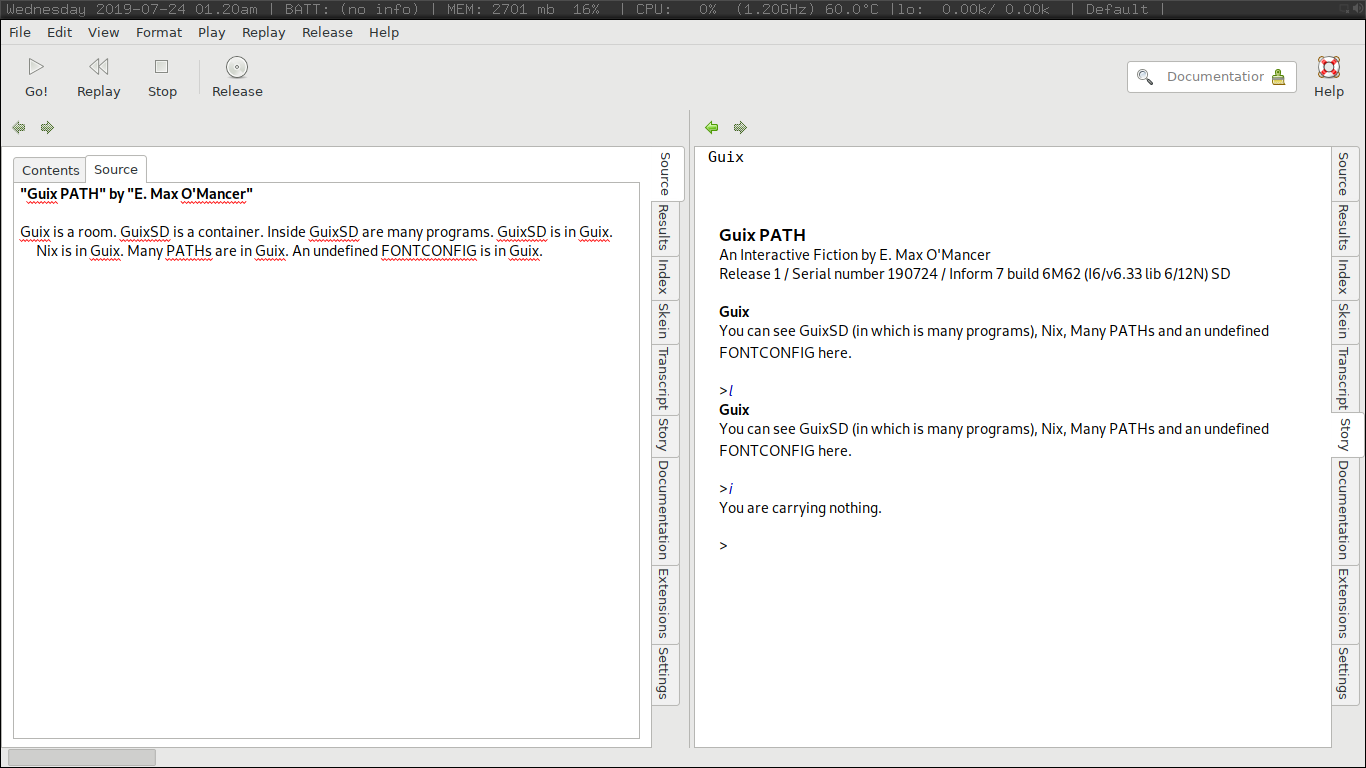
<p>For example, the literate/natural-language-based programming
interactive fiction design language <a href="http://inform7.com/">Inform7</a> (which is due to be
<a href="http://inform7.com/talks/2019/06/14/narrascope.html">open-sourced sometime this year</a>) is now conveniently <a href="https://flathub.org/apps/details/com.inform7.IDE">available as a
Flatpak</a>. But the run command after installing is <code>flatpak run com.inform7.IDE</code>, which is non-ideal. So I made a simple shell script
named <code>inform7</code> placed in <code>~/bin</code>:</p>
<div class="highlight"><pre class="chroma"><code class="language-shell" data-lang="shell"><span class="cp">#!/bin/sh
</span><span class="cp"></span>flatpak run com.inform7.IDE
</code></pre></div>


<figure>
    
        <img src="https://babbagefiles.xyz/ox-hugo/inform7-guix.png"/> </figure>

<h2 id="maze-no-dot-2">Maze no. 2</h2>
<p><a href="https://nixos.org/">Nix</a> can be <a href="https://nixos.org/releases/nix/nix-1.9/manual/#ch-installing-binary">installed as a standalone package manage on top of other
distros</a>, including Guix System, which is useful for be able to obtain
software currently lacking in Guix System (including, ironically,
<a href="https://en.wikipedia.org/wiki/Hugo_(software)">Hugo</a>, used by this blog, which is present in Nix). Packages available
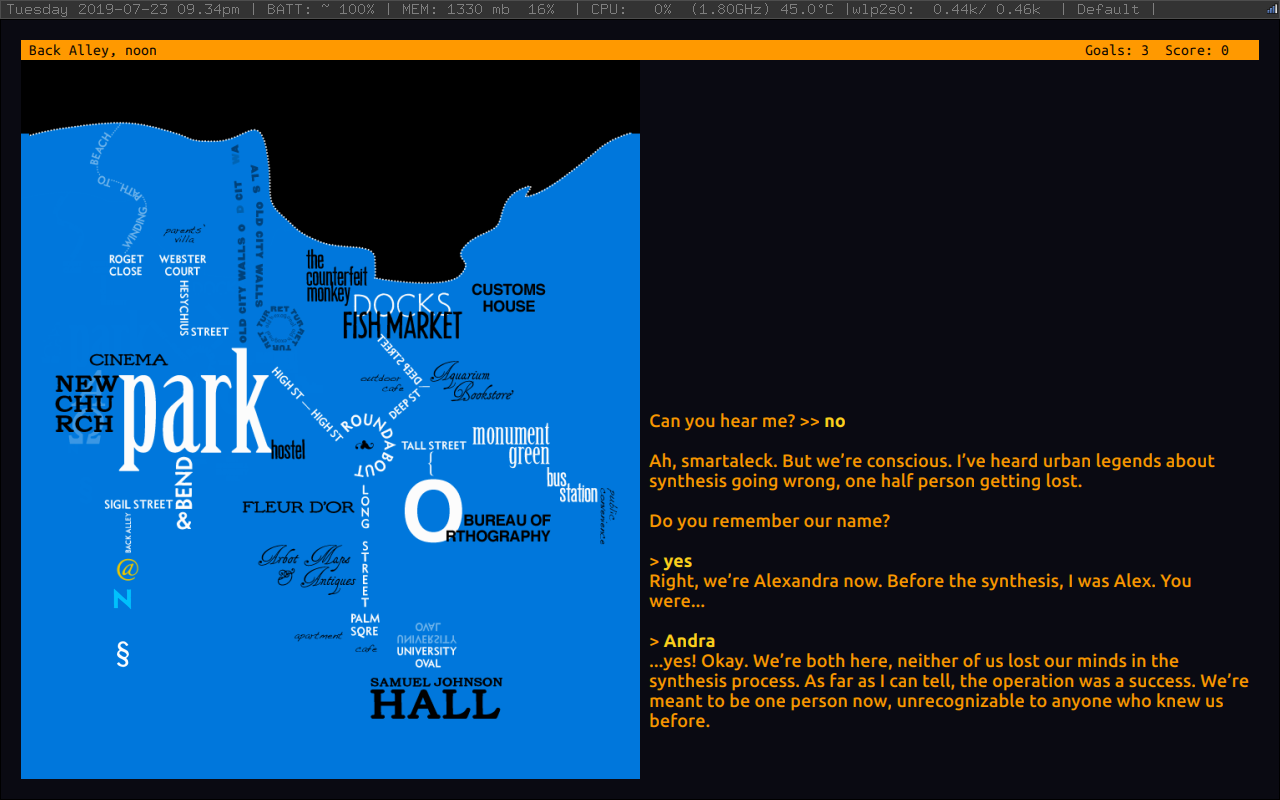
in Nix but not in Guix include <a href="http://ccxvii.net/gargoyle/">Gargoyle</a>, a very nice interactive
fiction front-end client that supports a number of different backends,
including Frotz and Glulxe. One of the benefits of Gargoyle is that it
&ldquo;cares about typography&rdquo;. However, Nix applications by default seem to
have trouble finding/seeing fonts, including system fonts, local
fonts, and even fonts installed via Nix.</p>
<p>This can be fixed by (1) setting the <code>FONTCONFIG_PATH</code> and
<code>FONTCONFIG_FILE</code>, e.g. in StumpWM this can be done with:</p>
<div class="highlight"><pre class="chroma"><code class="language-lisp" data-lang="lisp"><span class="p">(</span><span class="nb">setf</span> <span class="p">(</span><span class="nv">getenv</span> <span class="s">&#34;FONTCONFIG_PATH&#34;</span><span class="p">)</span> <span class="s">&#34;/home/YOURUSERNAME/.config/fontconfig/&#34;</span><span class="p">)</span>
<span class="p">(</span><span class="nb">setf</span> <span class="p">(</span><span class="nv">getenv</span> <span class="s">&#34;FONTCONFIG_FILE&#34;</span><span class="p">)</span> <span class="s">&#34;fonts.conf&#34;</span><span class="p">)</span>
</code></pre></div><p>And (2) forcing Nix to look in the right places by manual
specification in <code>~/.config/fontconfig/fonts.conf</code>, adding right
before the final <code>&lt;/fontconfig&gt;</code> (as appropriate):</p>
<pre><code class="language-nil" data-lang="nil">&lt;cachedir prefix=&quot;xdg&quot;&gt;fontconfig&lt;/cachedir&gt;
&lt;dir&gt;/home/YOURUSERNAME/.local/share/fonts/&lt;/dir&gt;
&lt;dir&gt;/home/YOURUSERNAME/.nix-profile/share/fonts/&lt;/dir&gt;
&lt;dir&gt;/home/YOURUSERNAME/.guix-profile/share/fonts/&lt;/dir&gt;
&lt;dir&gt;/usr/share/fonts&lt;/dir&gt;
</code></pre><p>And regenerating the font cache (via <code>fc-cache -fv</code>) [possibly you may
need to install Nix&rsquo;s <code>fontconfig</code> package].</p>


<figure>
    
        <img src="https://babbagefiles.xyz/ox-hugo/counterfeit-gargoyle-screenshot.png"/> </figure>

]]></content>


                                <category scheme="https://babbagefiles.xyz/categories/lisp" term="lisp" label="lisp" />
                             
                                <category scheme="https://babbagefiles.xyz/categories/guix" term="guix" label="guix" />
                             
                                <category scheme="https://babbagefiles.xyz/categories/linux" term="linux" label="linux" />
                             
                                <category scheme="https://babbagefiles.xyz/categories/stumpwm" term="stumpwm" label="stumpwm" />
                             
                                <category scheme="https://babbagefiles.xyz/categories/intfic" term="intfic" label="intfic" />
                             
                                <category scheme="https://babbagefiles.xyz/categories/fonts" term="fonts" label="fonts" />
                             
                                <category scheme="https://babbagefiles.xyz/categories/inform" term="inform" label="inform" />


                                <category scheme="https://babbagefiles.xyz/tags/nix" term="nix" label="nix" />
                             
                                <category scheme="https://babbagefiles.xyz/tags/gargoyle" term="gargoyle" label="gargoyle" />


        </entry>
    
</feed>